5. JASP: Visualization and Correlation

Johnny van Doorn

University of Amsterdam

2025-09-10

In block 1 we aim to:

  • Discuss NHST concepts
  • Introduce JASP
  • Correlation
  • Linear model (regression)

Reading: Chapters 1-8.8

In this lecture we aim to:

  • Introduce JASP
    • Descriptive statistics
    • Data visualizations
  • Correlation

Reading: Chapters 4, 5, 7

JASP

Why JASP?

  • User-friendly, intuitive interface
  • Open-source (free)
  • Reproducible analyses (easy to share)
  • Better than IBM’s SPSS for transparency and workflow
  • Integrates with R for advanced users

Getting Started with JASP

  1. Download from jasp-stats.org
  2. Open JASP, load your dataset (.jasp, .csv, .sav, etc.)
  3. Familiarize with the interface: Data view, Input panel, Output panel
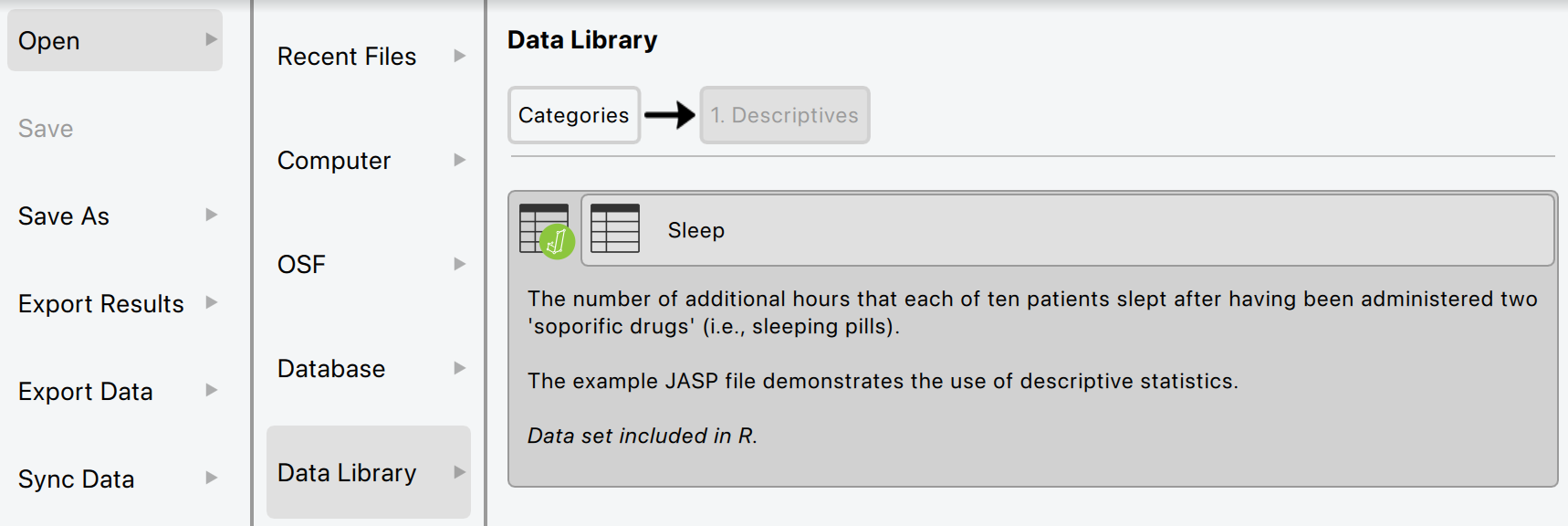
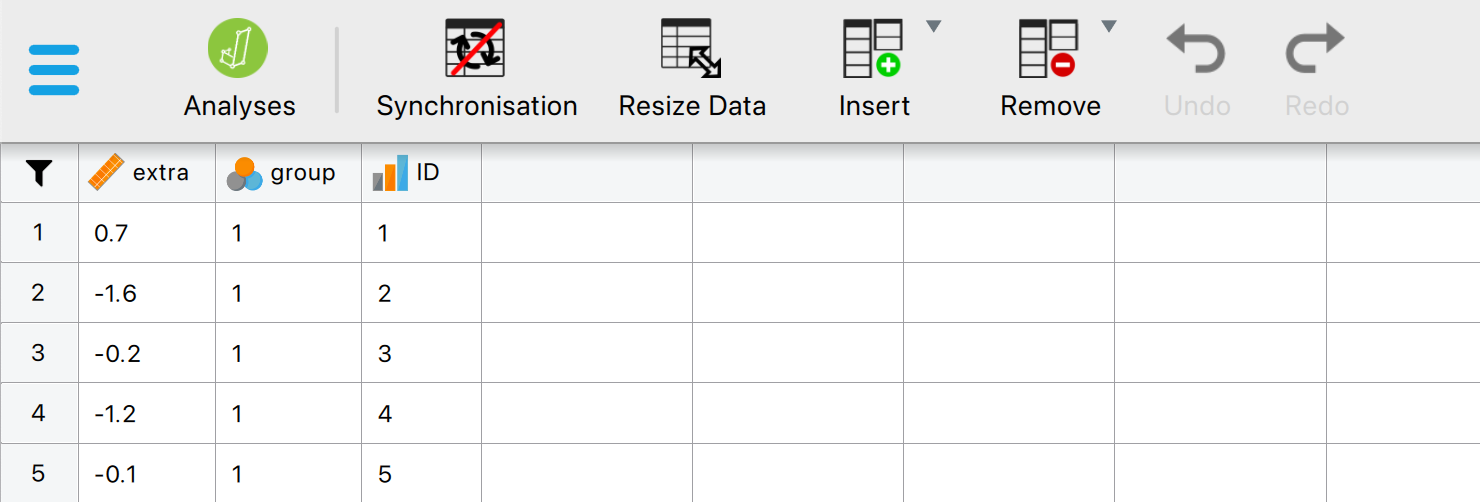
Figure 4.3

Loading Data in JASP

  • Click Open > select your file
  • Data appears in spreadsheet view

Figure 4.4

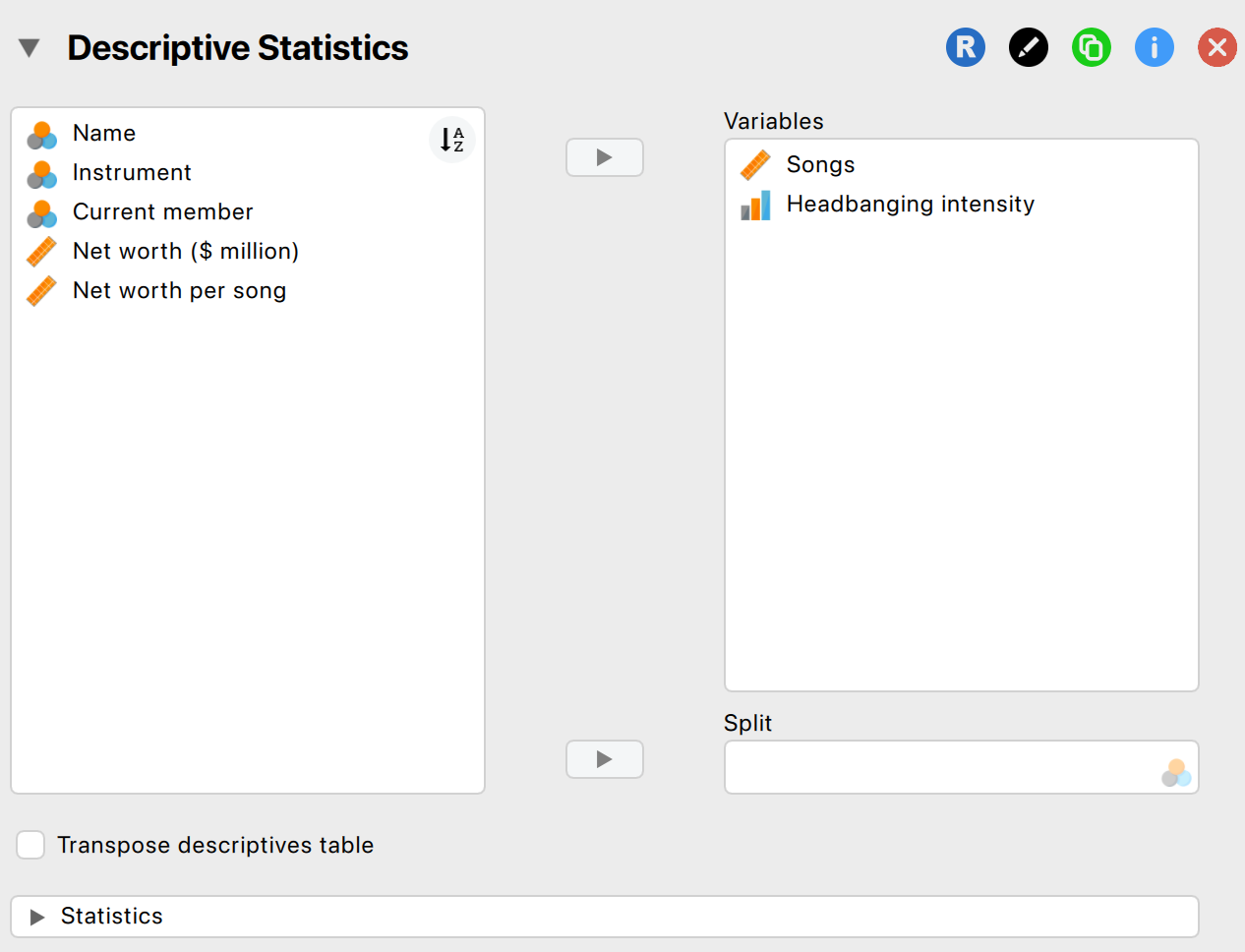
Descriptive Statistics in JASP

  • Go to Descriptives > select variables
  • Options: mean, median, SD, min, max, quartiles
  • Output updates instantly

Figure 4.10

Some special operations

Getting help

Visualization

Data visualization

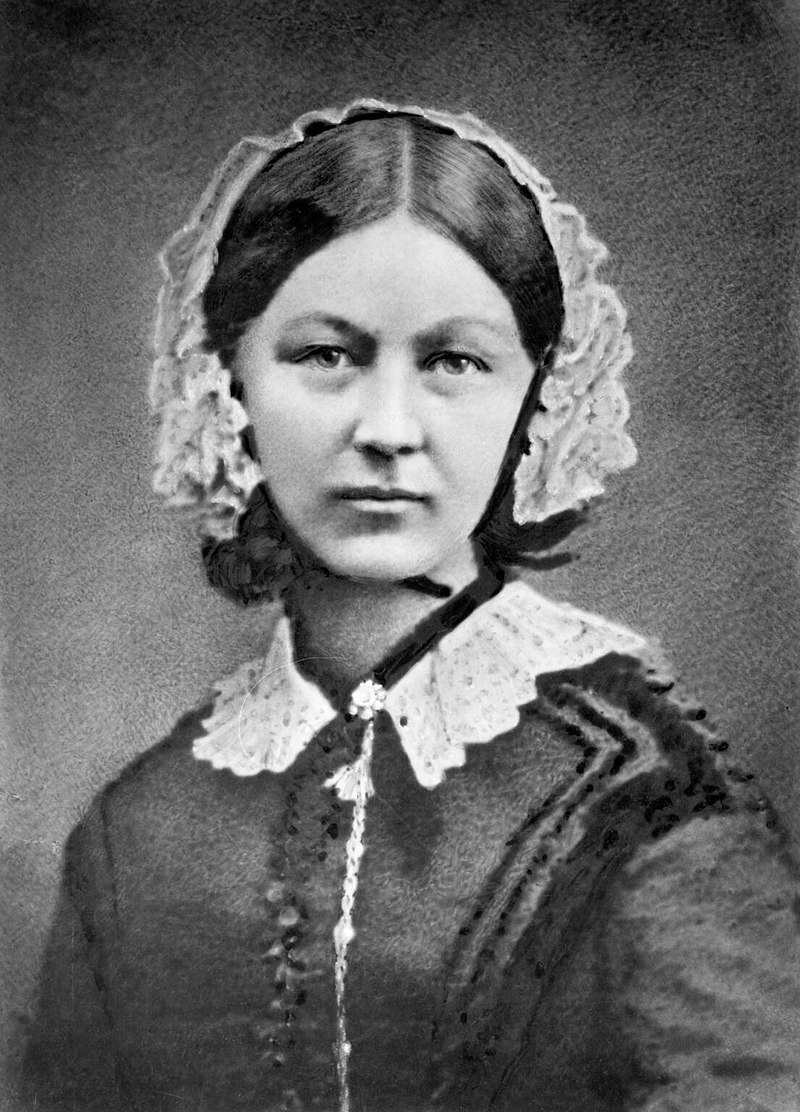
Florence Nightingale

Why Visualize Data?

  • Quick overview of the data
  • Spot patterns, outliers, or errors
  • Invite the reader

Why Visualize Data?

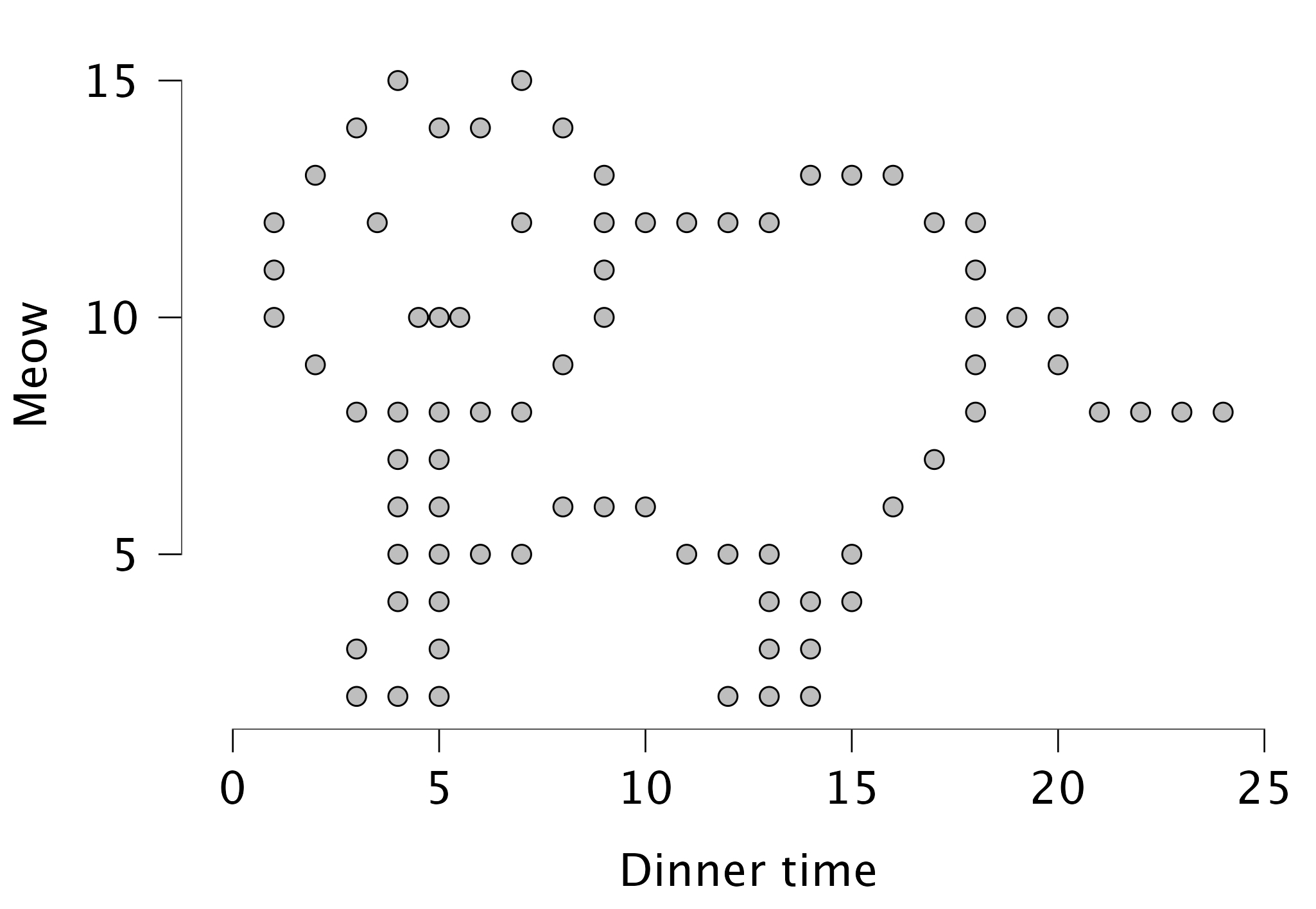
Figure 5.15 Catterplot

Different types of graphs in JASP

  • Distribution plots (basic plots)
    • Frequency plot when nominal
    • Histogram when scale/ordinal
  • Correlation plots (basic plots)
  • Scatter plots (customizable plots)
  • Raincloud plots

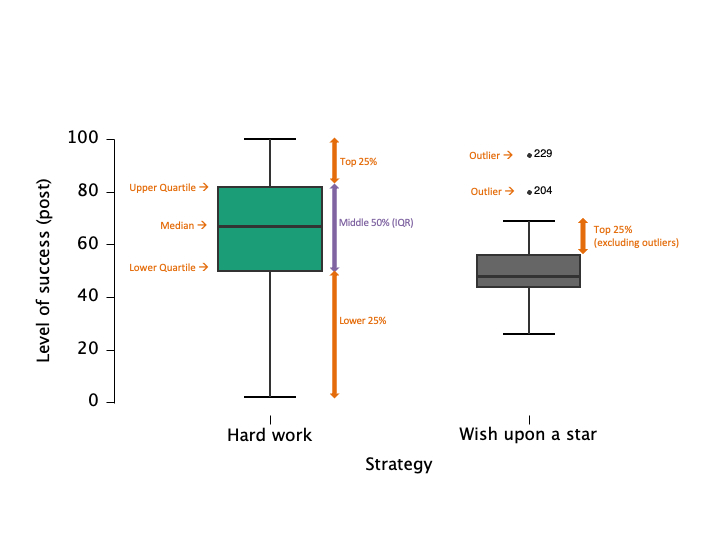
Boxplots: Visualizing Spread and Outliers

  • Shows median, quartiles, and outliers
  • Useful for comparing groups

Figure 5.9 Boxplots

Raincloud plots: Boxplots + Raw Data
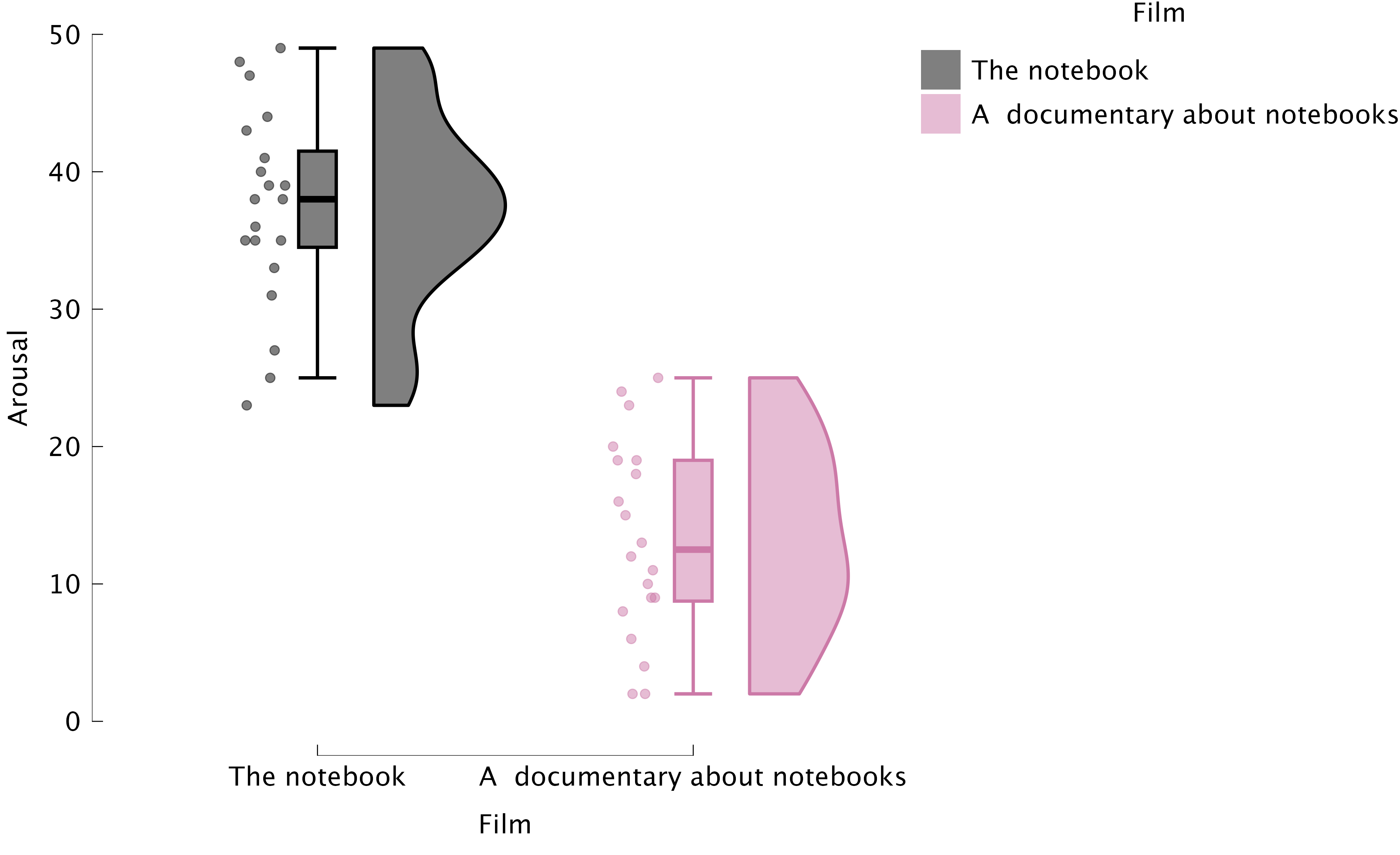
Figure 5.11 Raincloud plots

Best Practices in Data Visualization

  • Use clear labels and titles
  • Avoid unnecessary 3D effects
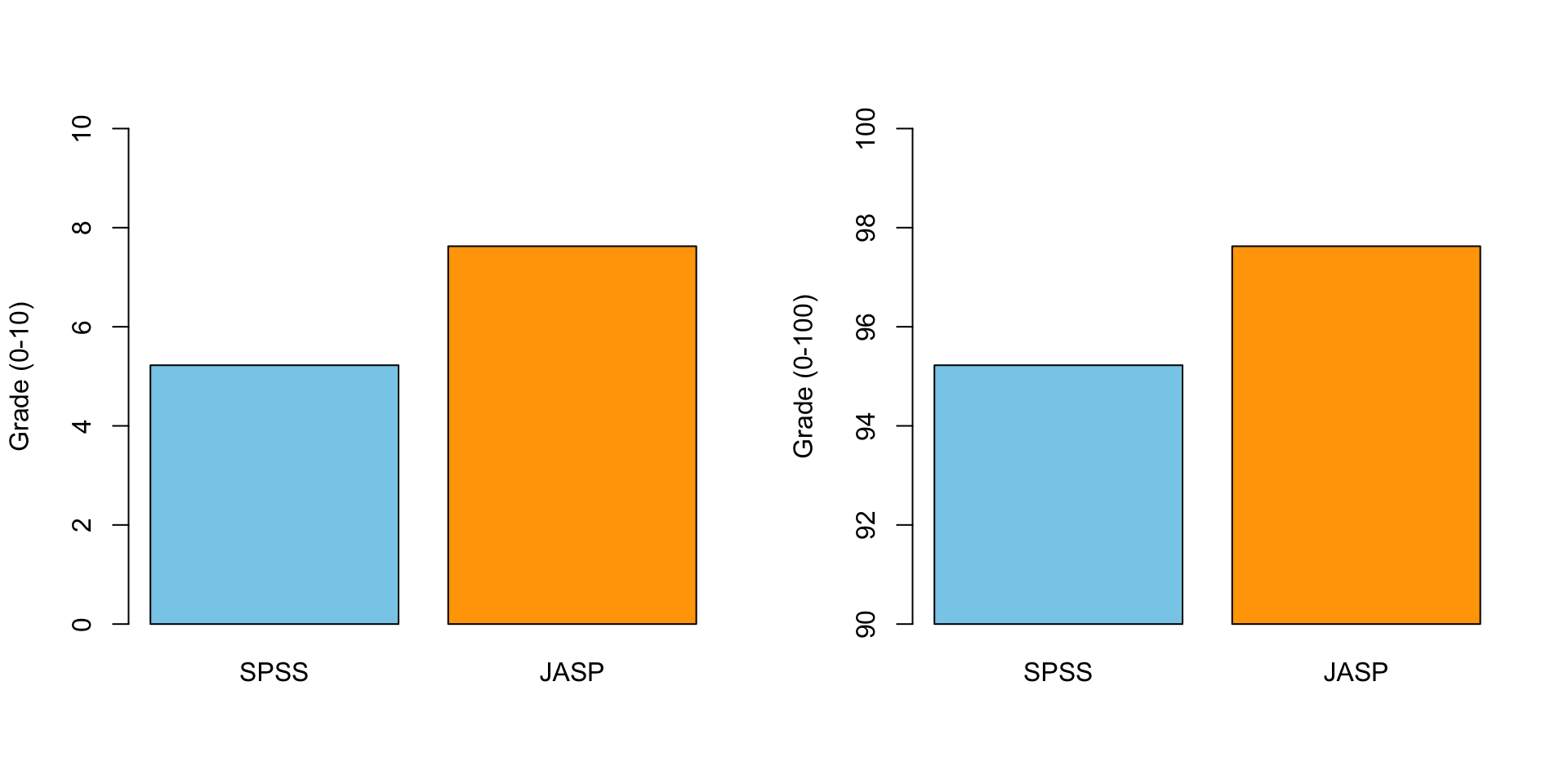
  • Choose appropriate scales
  • Check for misleading representations

Critically Assess Graphs

  • Are axes labelled (variable, units)?
  • Are axes broken/equally spaced?
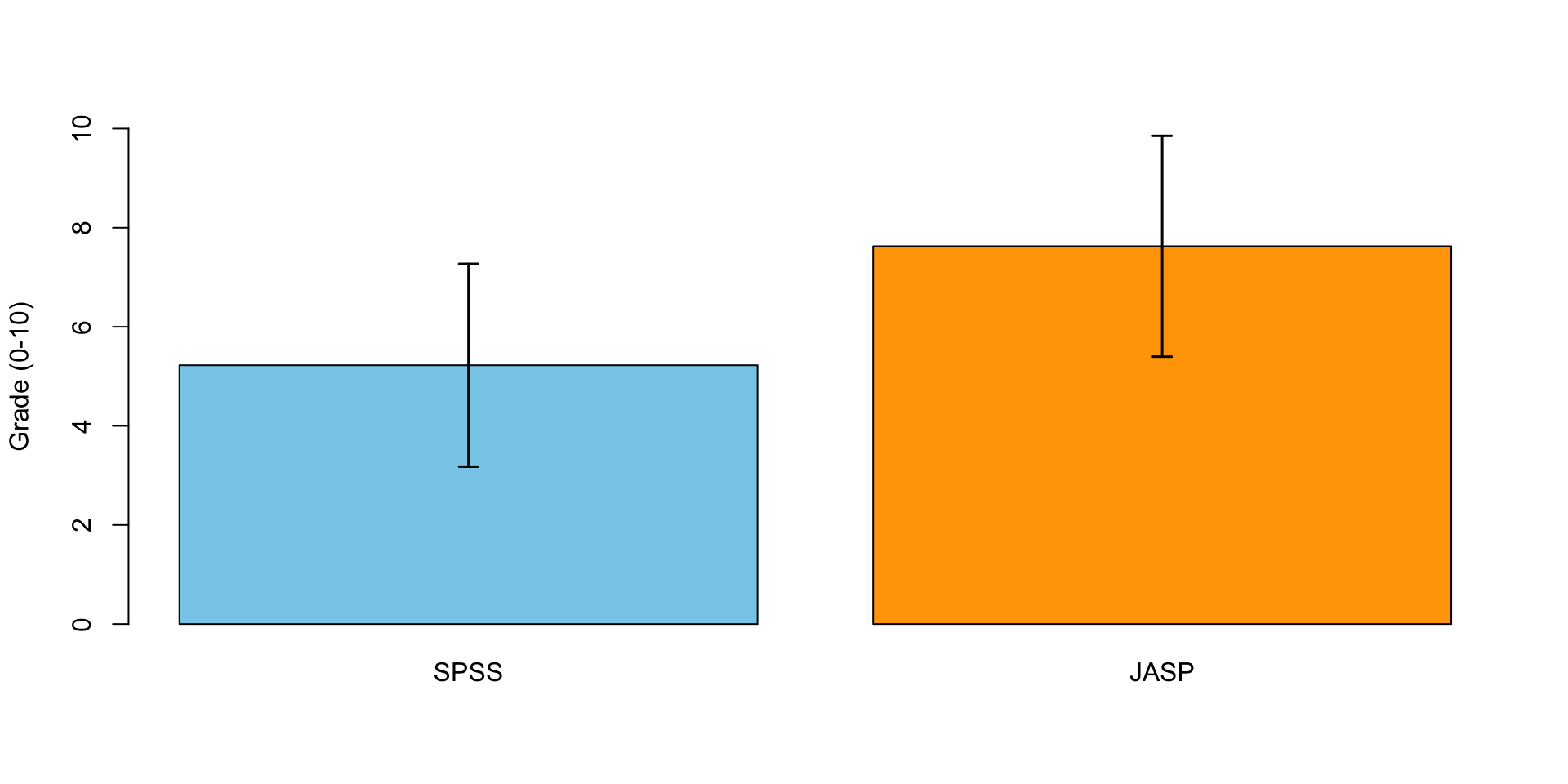
  • Are error bars (e.g., confidence intervals) included where relevant?

Critically Assess Graphs

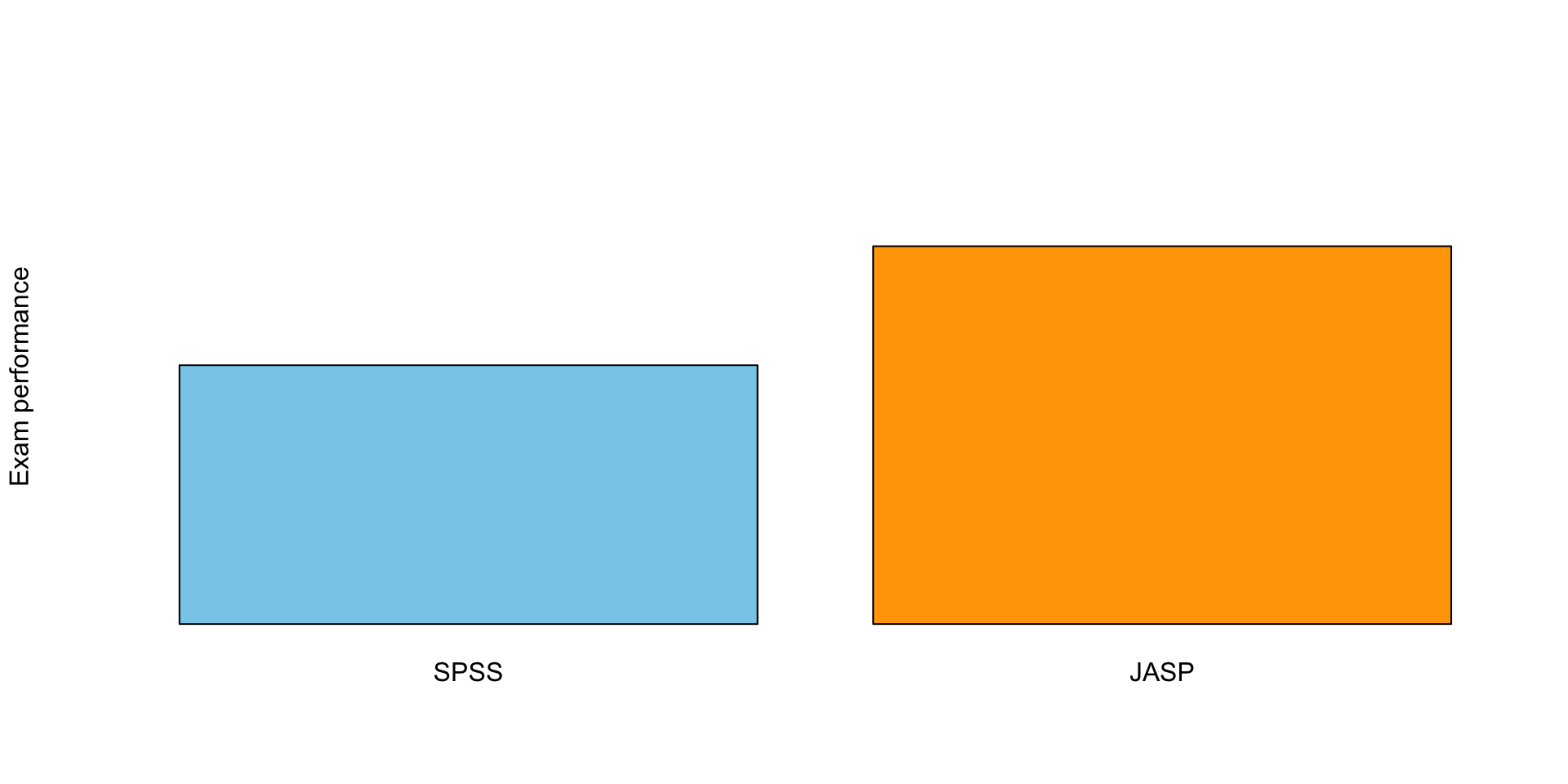
Scale Matters
Error Bars!
Correlation

Pearson Correlation

In statistics, the Pearson correlation coefficient, also referred to as the Pearson’s r, Pearson product-moment correlation coefficient (PPMCC) or bivariate correlation, is a measure of the linear correlation between two variables X and Y. It has a value between +1 and −1, where 1 is total positive linear correlation, 0 is no linear correlation, and −1 is total negative linear correlation. It is widely used in the sciences. It was developed by Karl Pearson from a related idea introduced by Francis Galton in the 1880s.

Source: Wikipedia

Pearson Correlation

\[r_{xy} = \frac{{COV}_{xy}}{S_xS_y}\] Where \(S\) is the standard deviation and \(COV\) is the covariance.

\[{COV}_{xy} = \frac{\sum_{i=1}^N (x_i - \bar{x})(y_i - \bar{y})}{N-1}\]

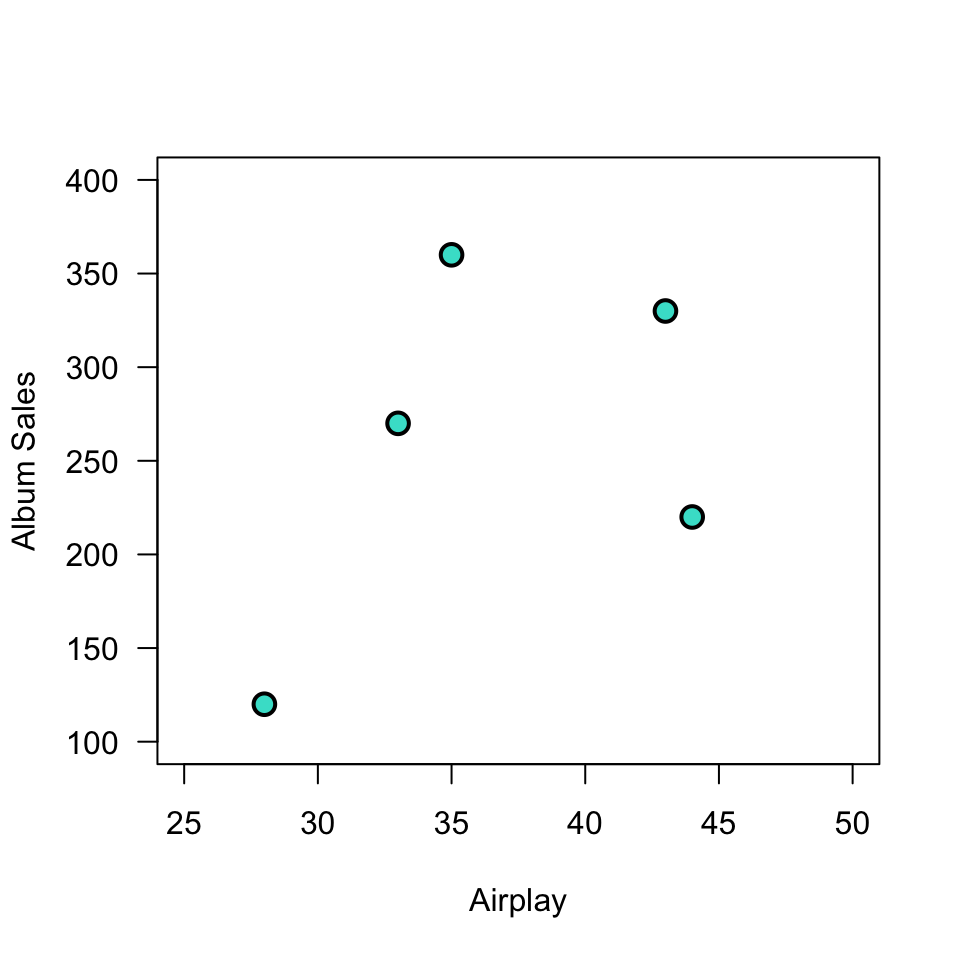
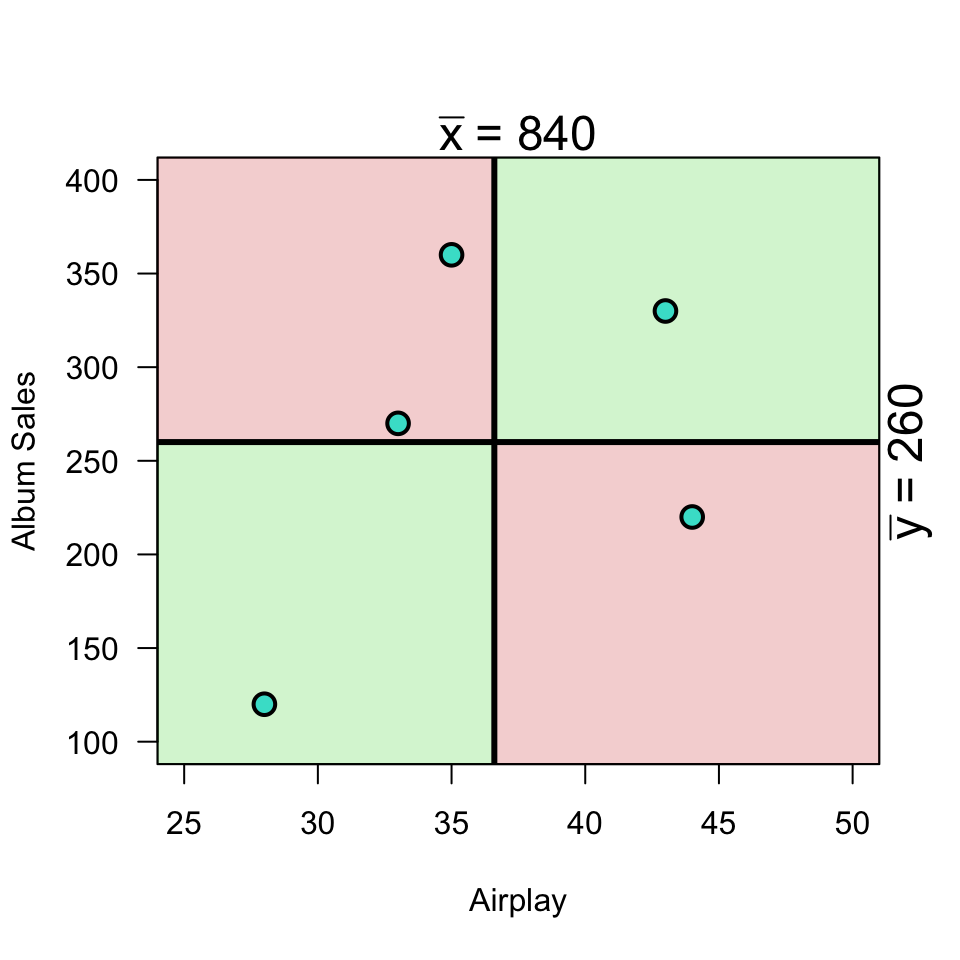
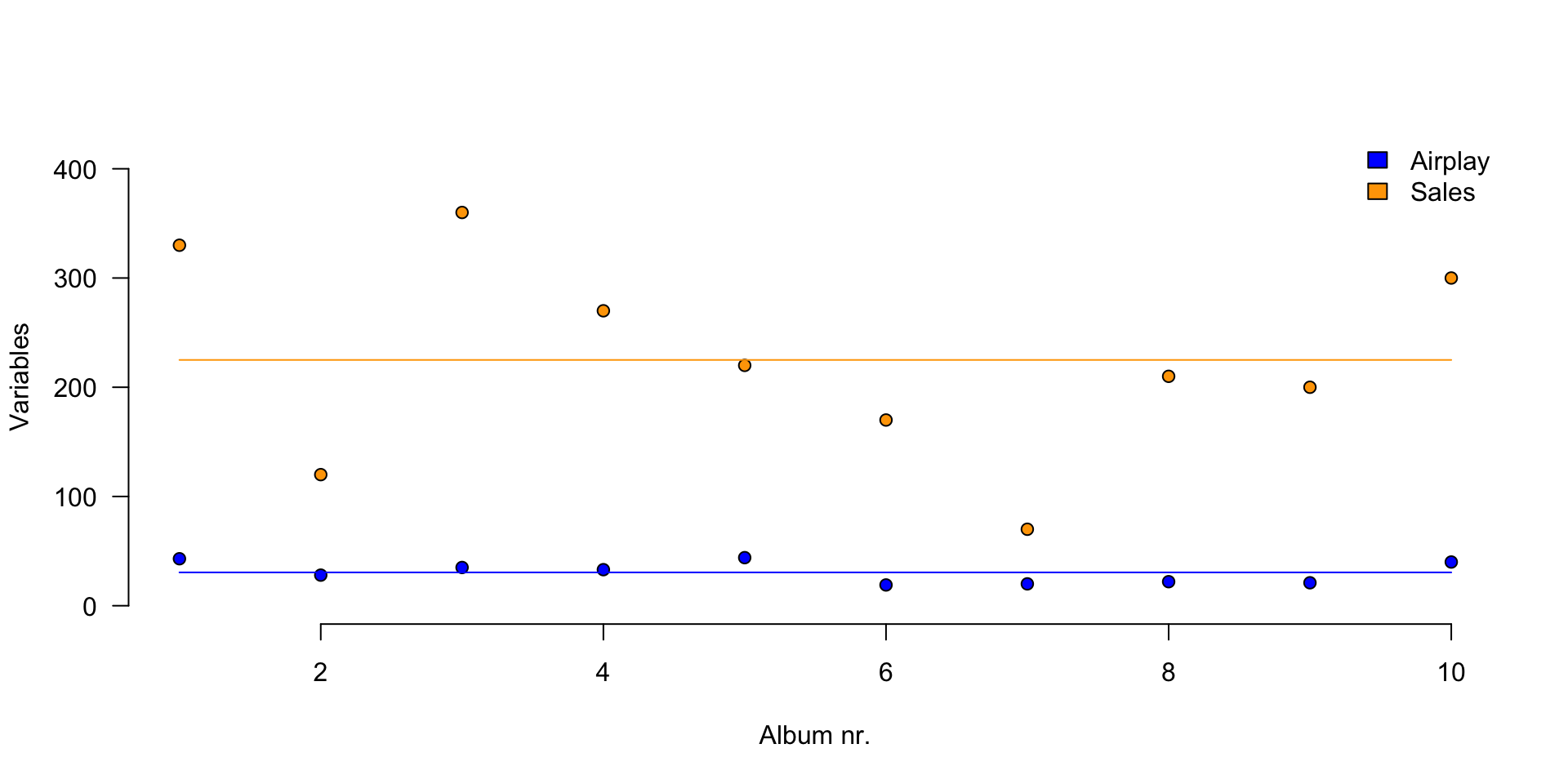
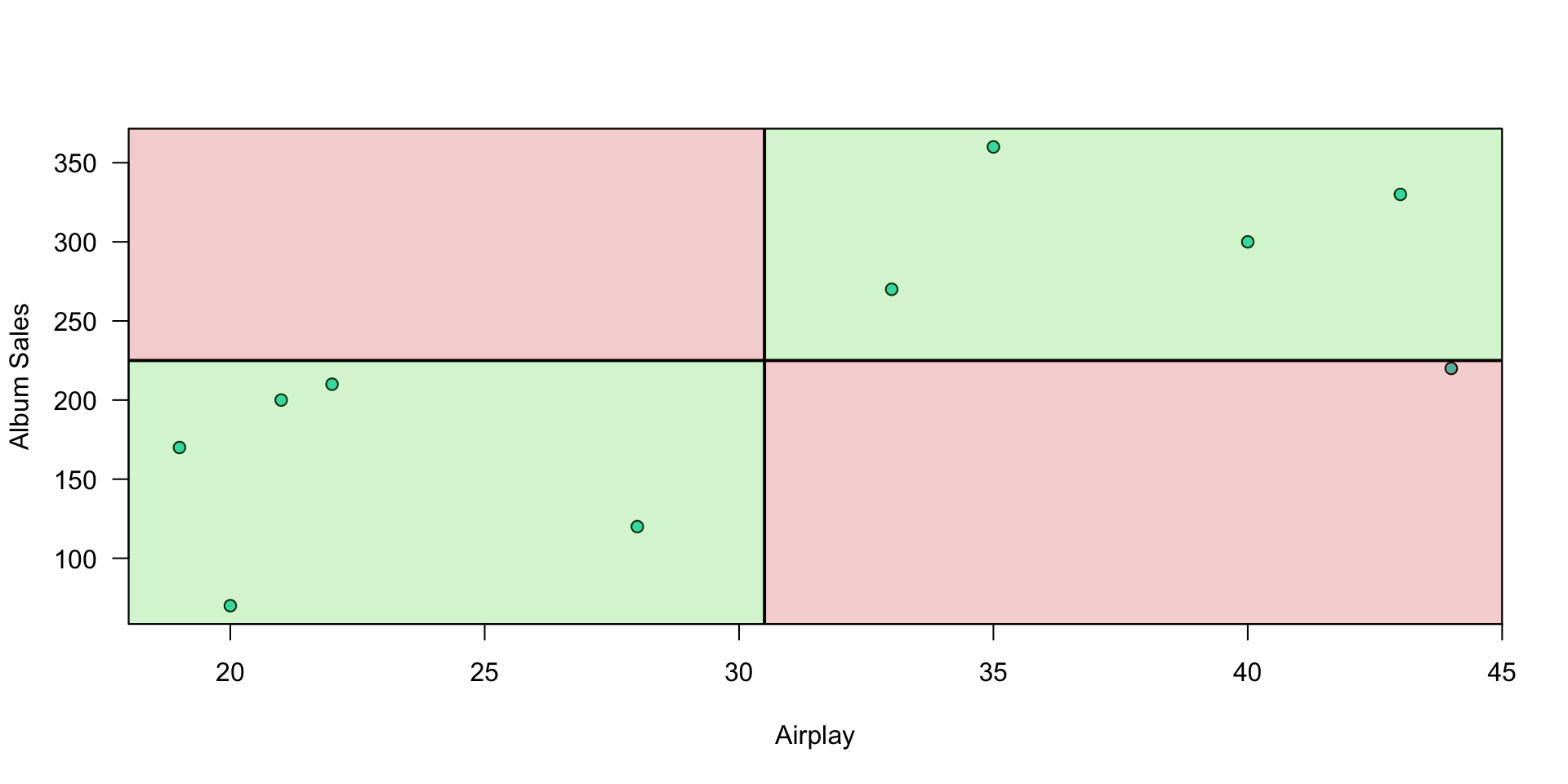
Plot correlation

Plot correlation

Plot correlation
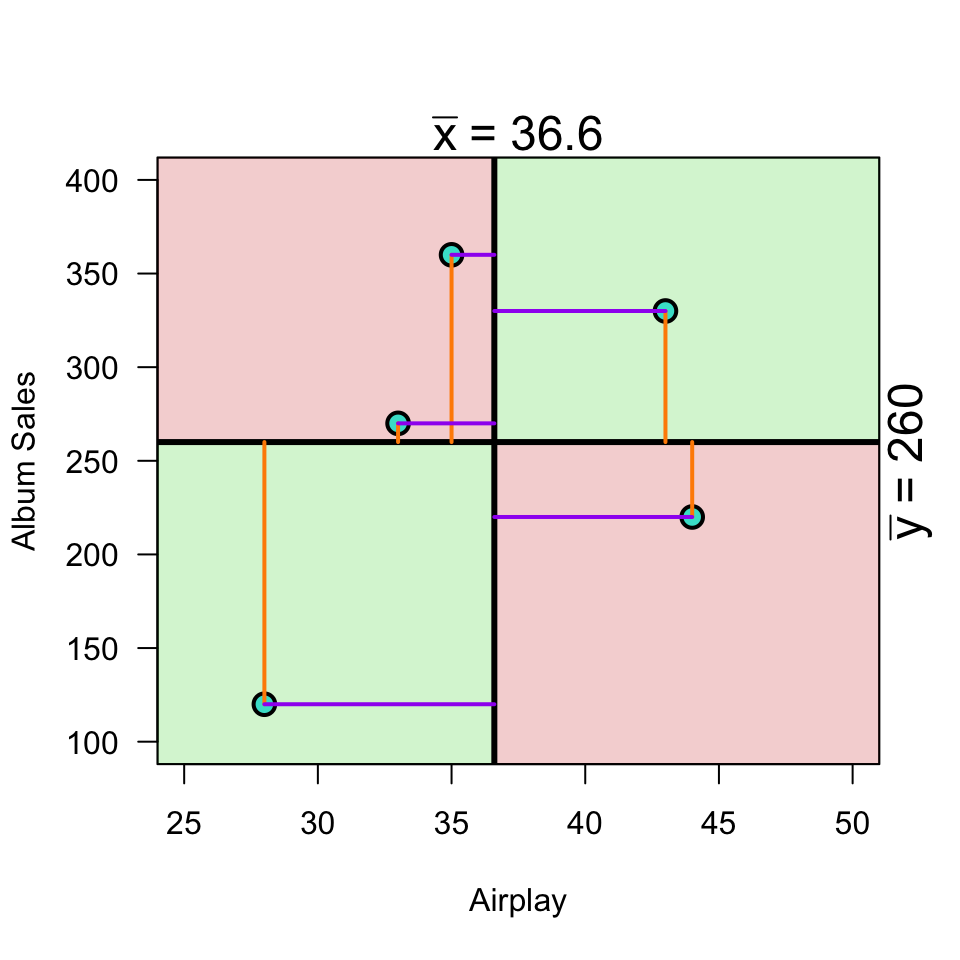
\[(x_i - \bar{x})(y_i - \bar{y})\]

Load data

n     <- 10
data <- read.csv("../../../datasets/Album Sales.csv")[, -4]
data <- data[1:n, ] # take the first 10 rows of the album sales data set from Field
DT::datatable(data, rownames = FALSE, options = list(searching = FALSE, scrollY = 415, paging = F, info = F))

Variance

Standardize

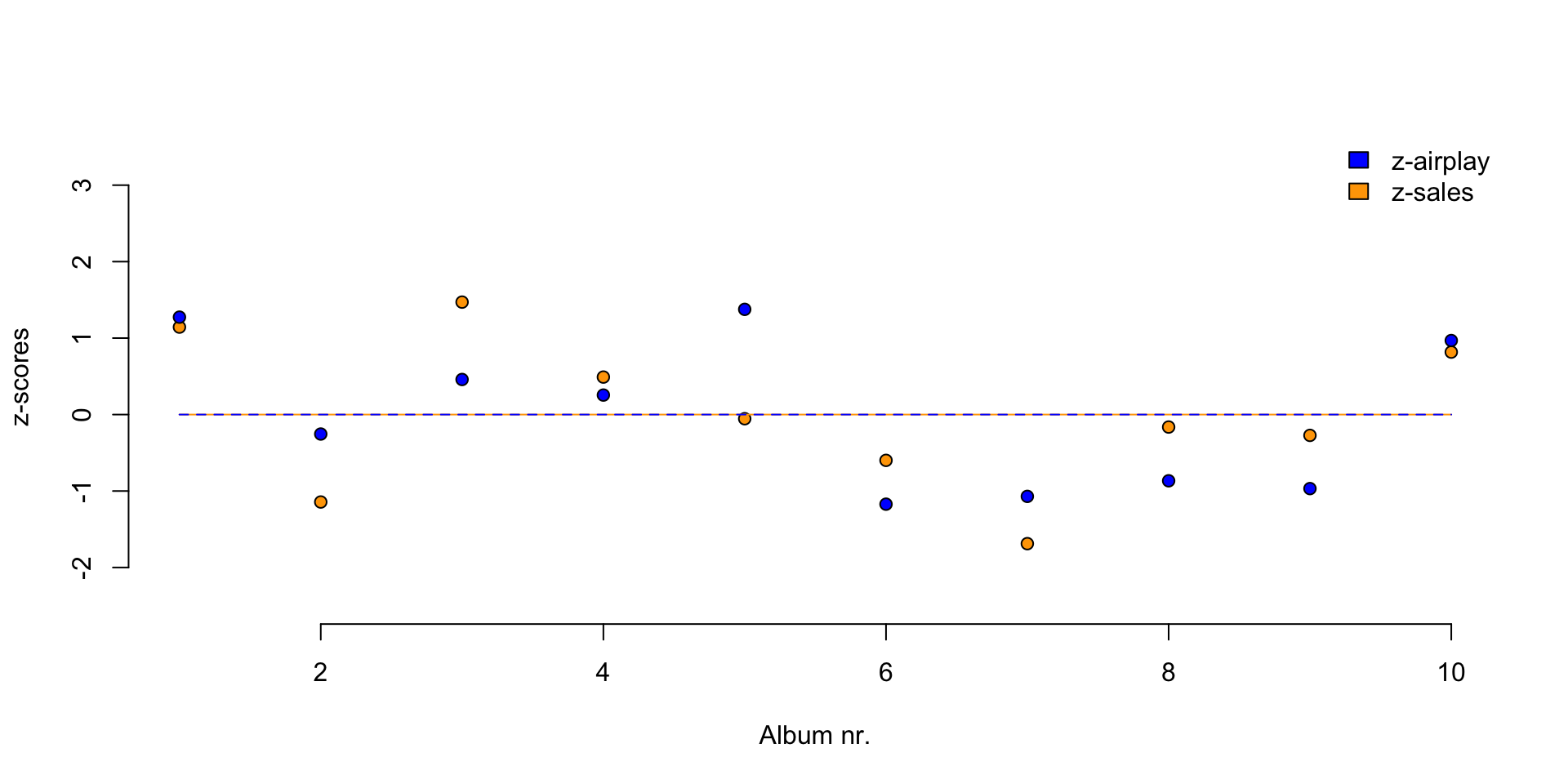
\[z = \frac{x_i - \bar{x}}{{sd}_x}\]

z.sales      <- (data$sales   - mean(data$sales))   / sd(data$sales)
z.airplay    <- (data$airplay - mean(data$airplay)) / sd(data$airplay)

Standardize

Standardize

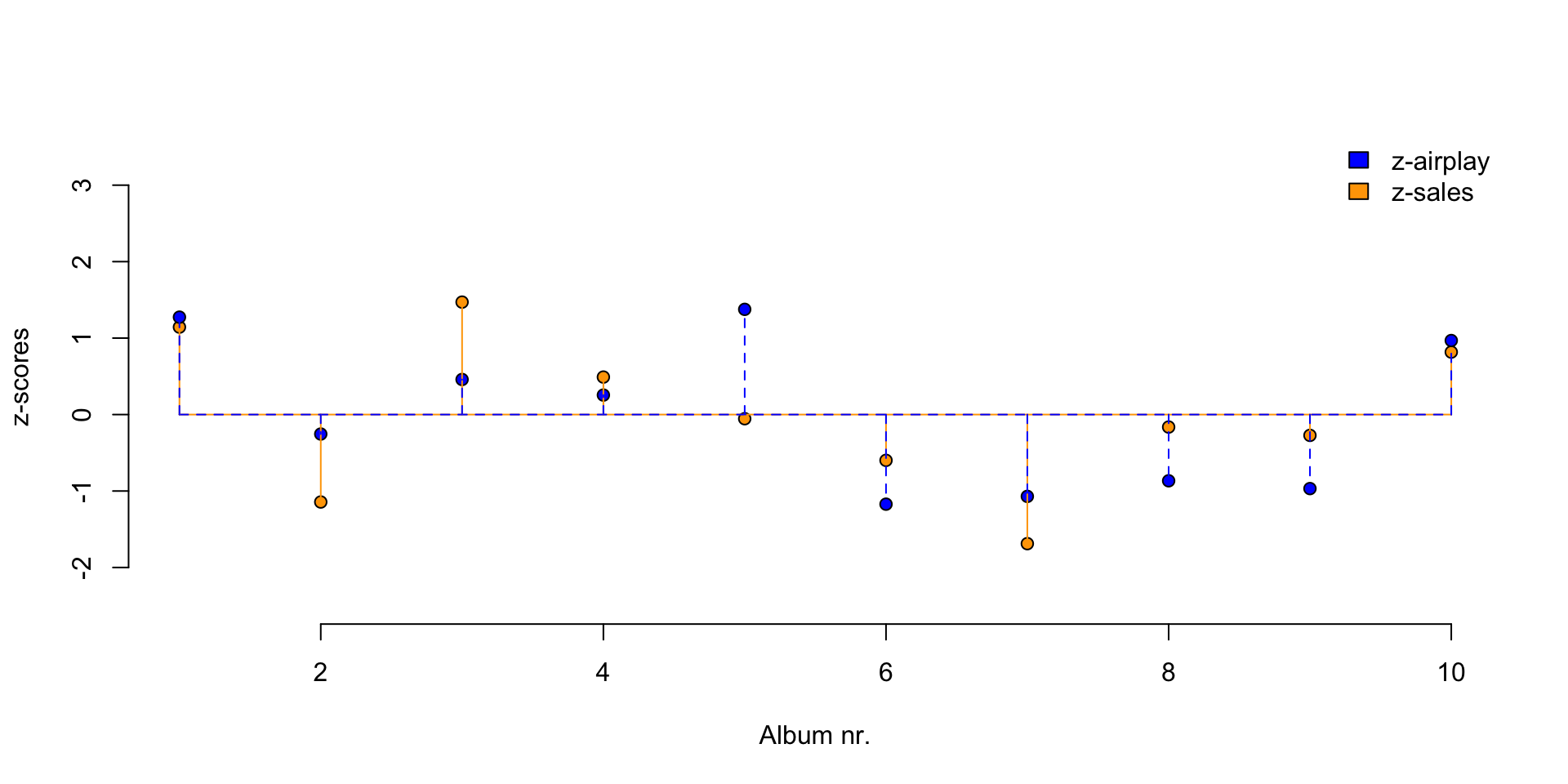
Covariance

\[{COV}_{xy} = \frac{\sum_{i=1}^N (x_i - \bar{x})(y_i - \bar{y})}{N-1}\]

mean.sales      <- mean(sales, na.rm=TRUE)
mean.airplay    <- mean(airplay, na.rm=TRUE)

delta.sales     <- sales - mean.sales
delta.airplay   <- airplay - mean.airplay

prod <- (sales - mean.sales) * (airplay - mean.airplay)

covariance <- sum(prod) / (N - 1)
covariance
[1] 618.3333

Correlation

\[r_{xy} = \frac{{COV}_{xy}}{S_xS_y}\]

correlation <- covariance / ( sd(sales) * sd(airplay) ); correlation
[1] 0.6864408
correlation
[1] 0.6864408

Correlation

\[r_{xy} = \frac{{COV}_{xy}}{S_xS_y}\] \[{COV}_{xy} = \frac{\sum_{i=1}^N (x_i - \bar{x})(y_i - \bar{y})}{N-1}\]

cor(  sales,   airplay) # correlation
[1] 0.6864408
cor(z.sales, z.airplay) # correlation of z-scores
[1] 0.6864408
# covariance of z-scores
sum(z.sales * z.airplay ) / (N - 1)
[1] 0.6864408

Plot correlation

Significance testing using \(t\)

A test statistic with a known probability distribution (the t-distribution).

It’s a standardized measure of how closely our observed statistic matches the value claimed by \(\mathcal{H}_0\):

\[t = \frac{\text{estimate} - \mathcal{H}_0 \text{ value}}{\text{SE}(\text{estimate})}\]

Significance of a correlation

We convert \(r\) to a \(t\)-statistic because \(t\) has a sampling distribution: the \(t\)-distribution with df = N-2:

\[t_r = \frac{r \sqrt{N-2}}{\sqrt{1 - r^2}}\]

\[{df} = N - 2\]

Hypotheses for \(t\)

\[ \begin{aligned} H_0 &: t_r = 0 \\ H_A &: t_r \neq 0 \\ H_A &: t_r > 0 \\ H_A &: t_r < 0 \\ \end{aligned} \]

\(r\) to \(t\)

df  <- N-2
t.r <- ( correlation*sqrt(df) ) / sqrt(1-correlation^2)

t.r
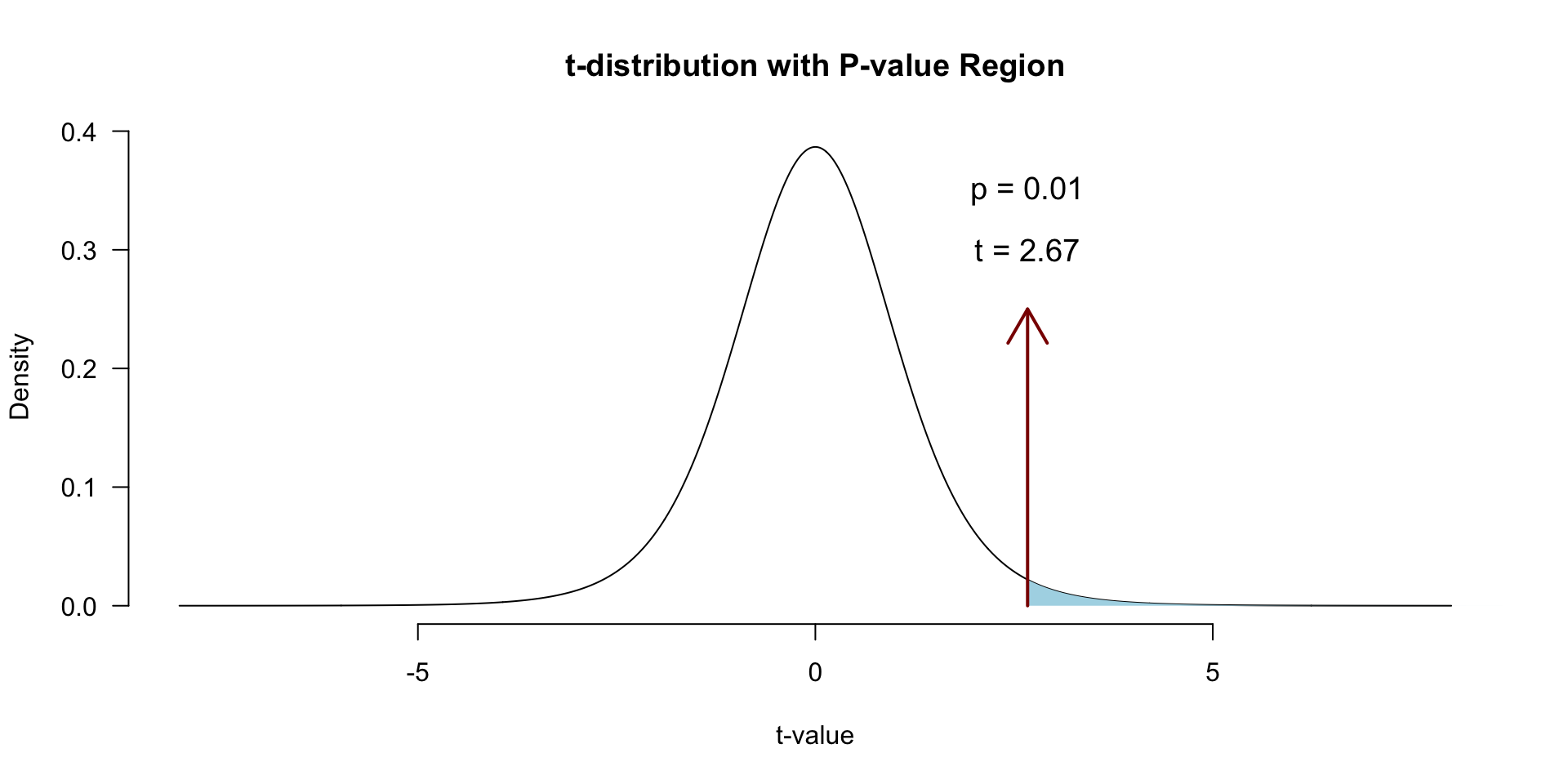
[1] 2.669948
df
[1] 8

Visualize

Locate in \(t\)-distribution
Closing

Next Week

  • Partial correlation
  • The linear model
    • Predictions
    • Assumptions
    • Fun

Contact

CC BY-NC-SA 4.0